


Results 1 to 8 of 8
Thread: Need Help with Color Change
-
03-23-2014 #1

 Registered User
- Join Date
- Nov 2013
- Posts
- 69

Need Help with Color Change
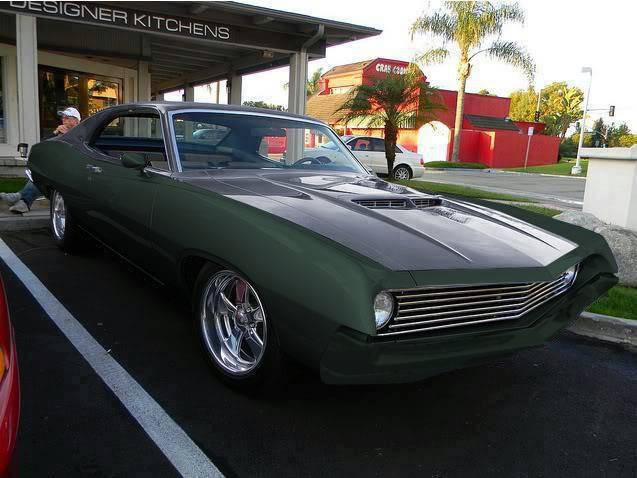
I need to know if anyone can do a quick color change for me. The two-tone silver/black Torino, I'd like the silver color changed to the dark green color of my car, and black areas changed to a charcoal gray color (any charcoal gray will work, just don't want black may play around with lighter grays).
I like the two-tone scheme on the first car but I don't want to go silver and want to stick with the stock dark metallic green since it'll be easier and less expensive than a complete color change.
1971 Ford Torino GT
-
03-24-2014 #2
 Registered User
- Join Date
- Jan 2011
- Location
- Boston, MA
- Posts
- 1,180
Here's 3 different shades of gray to get you started...
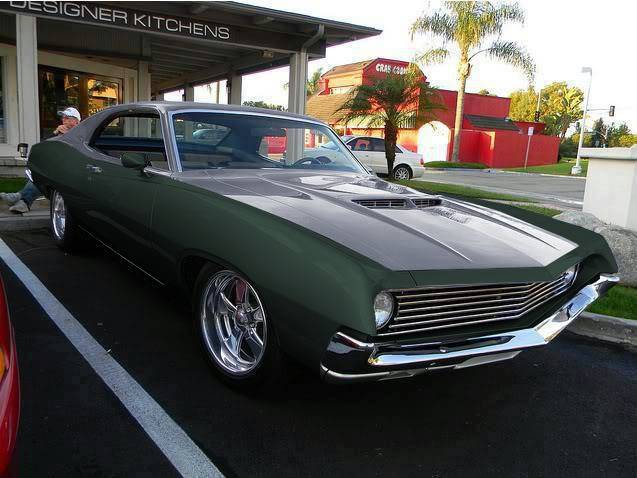
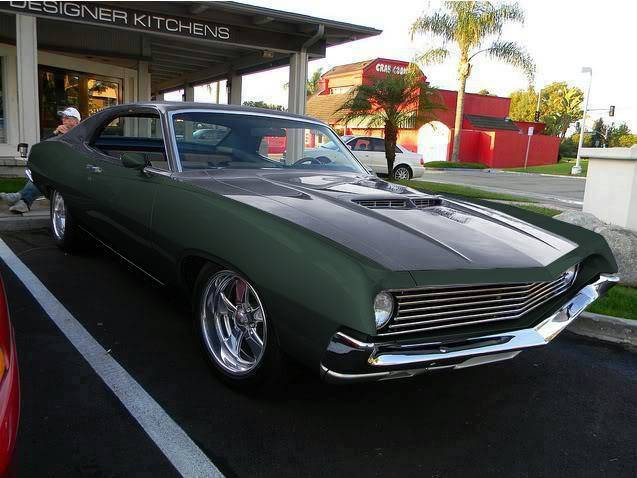
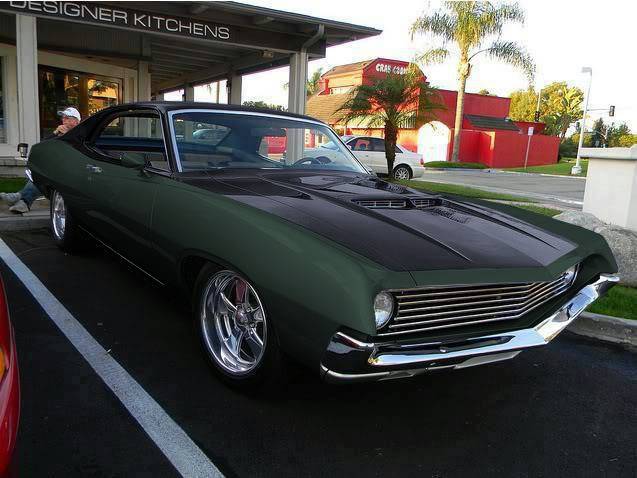
-
03-24-2014 #3
Registered User
- Join Date
- Nov 2013
- Posts
- 69
This is great. You did a much better job than I did. Can you make the bumper match the green body color.?
This really is great. Did you use the polygonal lasso tool and then adjust the hue/saturation of the layer? Just wondering how you got such good results.1971 Ford Torino GT
-
03-24-2014 #4
Registered User
- Join Date
- Jan 2011
- Location
- Boston, MA
- Posts
- 1,180
Thanks. I actually use a freeware version called Gimp, so some of the tools may use a different name. I use a new layer for every change...But what I do is use the lasso tool and outline the section I want to change. Then I copy that section to a new layer. I duplicate that layer and desaturate it. I duplicate that layer and then use the colorize tool to adjust hue, saturation and lightness. The reason I duplicate the layers is so I can have a "master" layer that I can use to create several different color changes from without having to go back and re-lasso. Originally Posted by PortraitPro

If I'm smart, I'll make a note of the hue that I chose for a given layer. In your case, I didn't. So when you asked for the bumper to be color matched, I had to go back and try to get the right shade. One thing with color matching a chrome bumper is that you can't just colorize (change hue/saturation) it, or it will look like it has an anodized aluminum finish like this:
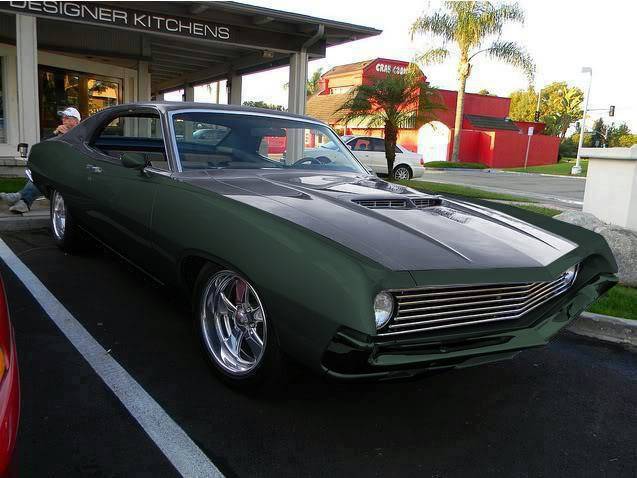
So I went back and used my fuzzy select tool (I think that's your magic wand), and selected the dark part of the bumper and adjusted the lightness to be a closer match to the rest of the bumper. Then I colorized the whole bumper to match the rest of the car. It's not perfect, since I didn't spend hours trying to get everything to match up. Just a little better than a quick and dirty one to get you in the ballpark.
03-24-2014 #5
Registered User
- Join Date
- Nov 2013
- Posts
- 69
Looks great. I really appreciate your time on this. This is exactly what I was looking for, something to give the general idea. I think I'm going to head in the direction of the green painted bumpers and the black/green combination.
1971 Ford Torino GT
03-24-2014 #6
Registered User
- Join Date
- Jan 2011
- Location
- Boston, MA
- Posts
- 1,180
No problem. Post up some pics if you go ahead with the paint job. It's always nice to see a finished product. Originally Posted by PortraitPro
03-24-2014 #7
Registered User
- Join Date
- Nov 2013
- Posts
- 69
I'll definitely do that when I get to that point. Looking at starting the body work next winter. A lot of plans to shave the side marker lights and possibly install Kindig-it flush door handles.
1971 Ford Torino GT
03-24-2014 #8
Registered User
- Join Date
- Feb 2012
- Location
- SW, Michigan
- Posts
- 875
Looks good.. I think I like the darker color, and like the painted bumpers on this one.

 Reply With Quote





