


Results 1 to 14 of 14
Thread: Feedback Please
-
09-11-2008 #1

 Registered User
- Join Date
- Feb 2005
- Location
- oregon
- Posts
- 417
Feedback Please
So I've been working on this all day and this is where I'm at so far. What do you guys think of the linework? I'm FAR from done obviously but I'd still like to get some input. Any tips/advice/feedback is appreciated.

-
09-11-2008 #2 Registered User
- Join Date
- Jul 2008
- Location
- MI
- Posts
- 152
Looks like a great start.
Is this full size and what software are you using?
09-11-2008 #3
Registered User
- Join Date
- Feb 2005
- Location
- oregon
- Posts
- 417
Thanks! I'm using Illustrator CS3.
It is in full size for how I've been working with it although I understand that you should be able to blow a vector image up as big as you want without any distortion??? I have no idea how to do that though!?
09-11-2008 #4 Registered User
- Join Date
- Oct 2005
- Location
- Greenville, IN
- Posts
- 1,072
Nice work man.
Kevin
09-11-2008 #5 Registered User
- Join Date
- Mar 2005
- Location
- Miamisburg, Oh
- Posts
- 2,396
I'm no artist but I think that is a very good start/foundation.
09-11-2008 #6
Registered User
- Join Date
- Feb 2005
- Location
- oregon
- Posts
- 417
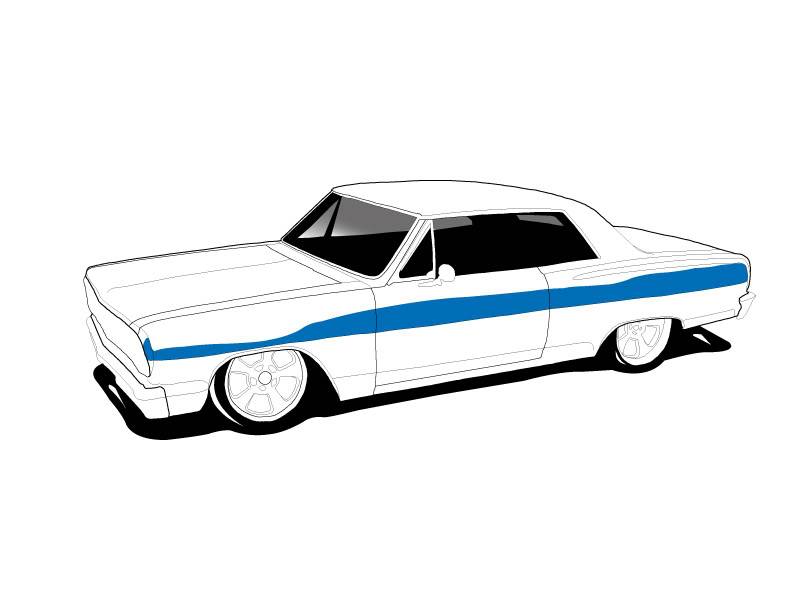
I did a lil more before bed. Started putting some color to it

09-12-2008 #7
Registered User
- Join Date
- Jul 2008
- Location
- MI
- Posts
- 152
Within in reason I think you can blow up a certain percentage without distortion but I'm not sure. Originally Posted by 65chevelle''ss''
I have the full creative suite but haven't taken the time to learn CS3 yet. Mostly I've been using photoshop along with scanning in some hand drawn stuff then filling it. The wheels on this were hand drawn but most eveything else is layers and layers pieced together.

09-12-2008 #8
Registered User
- Join Date
- Feb 2005
- Location
- oregon
- Posts
- 417
That looks sweet!!! I'm definitely new to illustrator as well, I opened it for the first time only 4 days ago LOL. I generally use Photoshop. Originally Posted by project hotrod
09-12-2008 #9
Registered User
- Join Date
- Feb 2005
- Location
- oregon
- Posts
- 417
I'm just realizing.... It's gonna be hard to detail the grill assembly from this angle grrrrrrrr.!
09-12-2008 #10 Registered User
- Join Date
- Jun 2007
- Location
- ST PETERSBURG,Florida
- Posts
- 144
Consider yourself lucky that its not that much detail LOL thats hrs of work for me if I had to do it. Originally Posted by 65chevelle''ss''

Great Job so far it looks really good.Try seperating your layers and naming them eg. the outline make one layer the door lines another layer window another layer etc...it makes it easier to work with.As far as painting goes everyone has a different way of doing it.Here's a handy tut from Hussein that might make it easier for you.
http://husseindesign.deviantart.com/...III-I-35243447
oh and try working at the biggest res possible if you are going to do any printing.I generally work in 3000 res @ 300dpi so resizing is simple and I dont get the jagged lines(anti alias)
09-12-2008 #11
Registered User
- Join Date
- Feb 2005
- Location
- oregon
- Posts
- 417
Thanks for the tips ZVT! I've seen some of that husseins work, he's unreal!!
Quick question: u say u like to work with a resolution of 3000? How do u do that? Do u have to start with a HUGE pic? The pic I'm using is only 800x600
Originally Posted by ZVT
09-12-2008 #12
Registered User
- Join Date
- Jun 2007
- Location
- ST PETERSBURG,Florida
- Posts
- 144
When I do my layout in PS I start with a canvas size of 3000x2500 @300dpi.If you are working straight off another pic just right click in PS at the top of the canvas and choose resize canvas. Originally Posted by 65chevelle''ss''
If you are doing it in 800x600 and not doing any prints thats fine the only reason I work in that size is for 20x30 posters and tshirts so you dont lose any quality.
09-12-2008 #13
Registered User
- Join Date
- Feb 2005
- Location
- oregon
- Posts
- 417
[quote=ZVT]When I do my layout in PS I start with a canvas size of 3000x2500 @300dpi.If you are working straight off another pic just right click in PS at the top of the canvas and choose resize canvas.
quote]
Thanks ZVT!!! That is a REALLY good suggestion! I only wish I knew of this earlier before I started 'cus isn't it too late now??? I started with a pic 800x600 and I made all my linework off of that size. I can't blow it up to 3000x2500 now, right?
T
09-18-2008 #14
Registered User
- Join Date
- Feb 2005
- Location
- oregon
- Posts
- 417
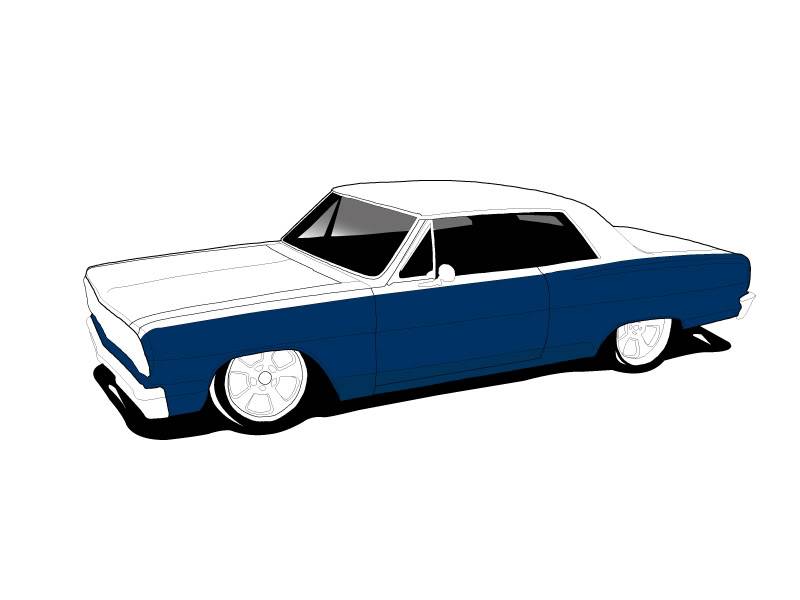
I haven't had much of a chance to work on it in the last few days but here's the latest.. Slow progress!
I definitely need to get better at shadowing and light effects. Hopefully it will come together in time. I just love playing with Photoshop and Illustrator most of all

 Reply With Quote



