


Results 1 to 20 of 21
-
09-01-2008 #1

 Registered User
- Join Date
- Aug 2006
- Location
- San Francisco, CA
- Posts
- 808

My First Photoshop (And You Can Too!!)
Ok, so I finally spent a bit of time learning one of the most fundamental car photoshops: wheel swap, lower, tint.
I downloaded GIMP as an alternative to Adobe Photoshop, which is a freeware photo editor that has enough features to do everything I wanted. Did I mention it's free?
Everything I know I learned from this guy and accomplished myself in about 5 hours:
I went from this:
And this:
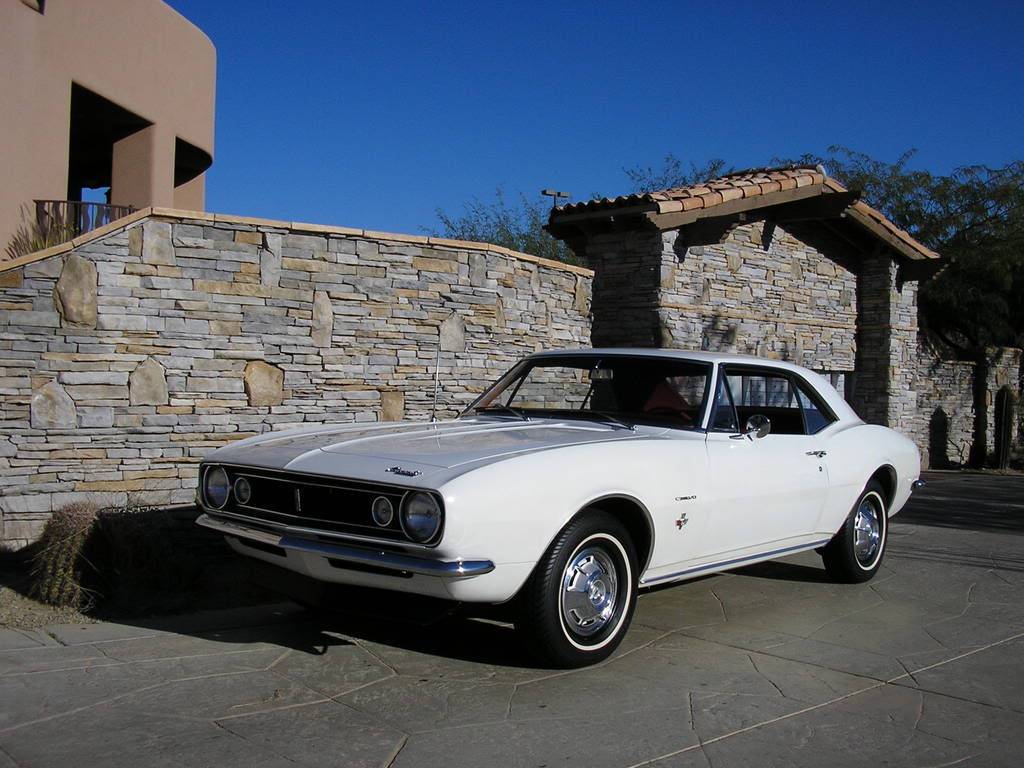
To this:
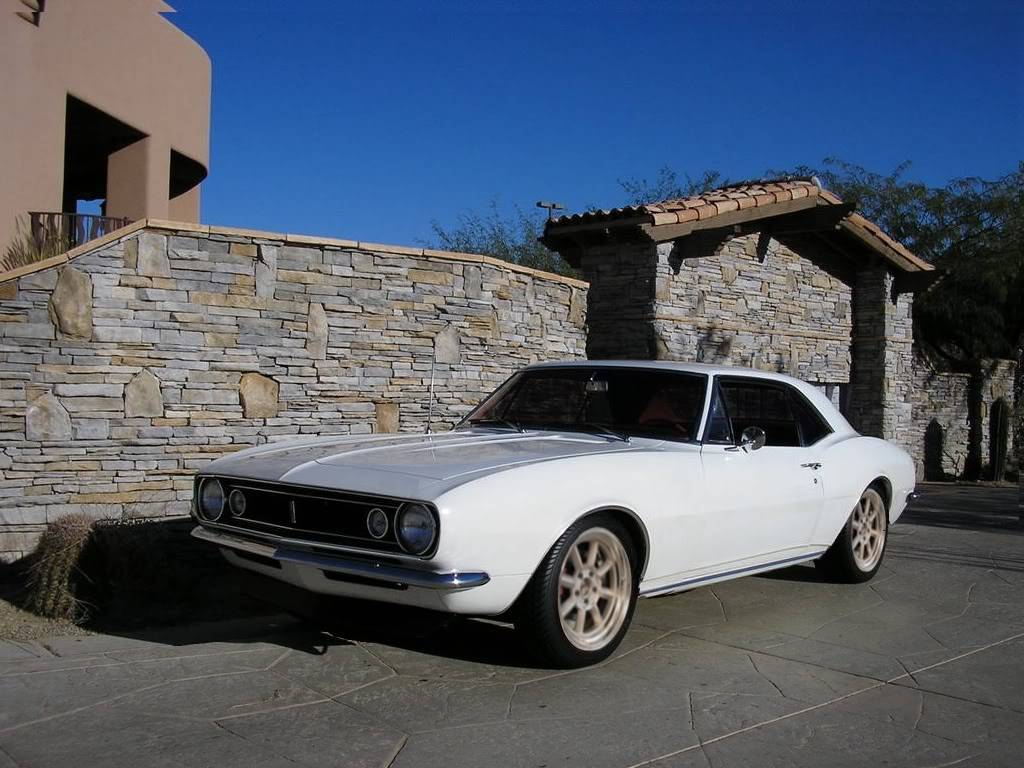
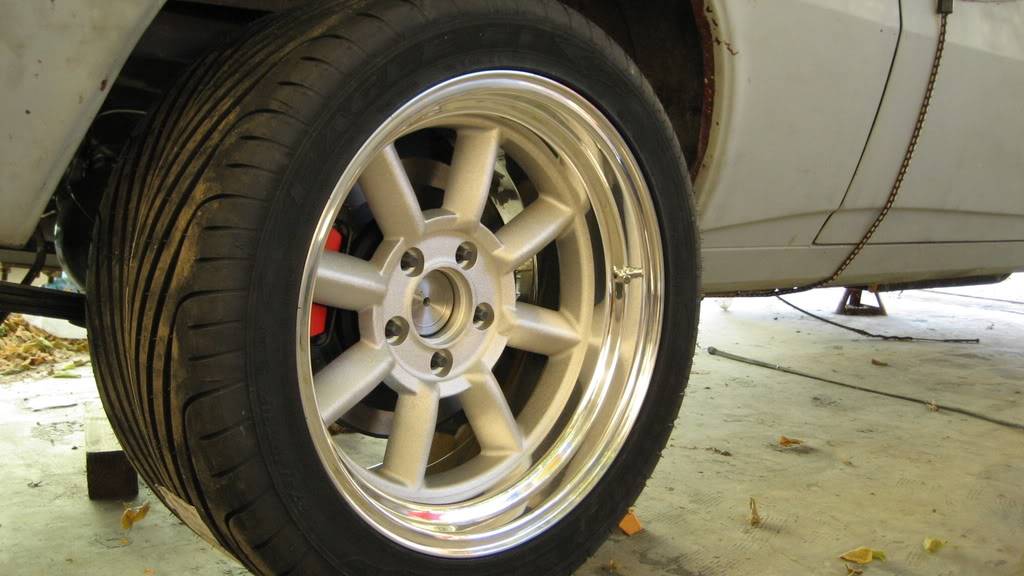
I changed the coloring of the wheels using hue/saturation, and tinted the windows using the sand dunes style of airbrush. I also widened the rear tire.

-
09-02-2008 #2 Registered User
- Join Date
- Jan 2005
- Location
- Columbus, OH
- Posts
- 210
If you ever do decide to use photoshop, here's a site with some easy tutorials for lowering, tint, wheel swaps, etc...
http://www.photoshopjunkie.com/tutorials/
09-02-2008 #3 Registered User
- Join Date
- Jan 2006
- Location
- Fly over state
- Posts
- 336
Nice job! That is a great pic to chop.
 '50 Ford Coupe (project)
'64 Chevy NOVA SS

09-03-2008 #4 Registered User
- Join Date
- Dec 2004
- Location
- Sarasota, Fl
- Posts
- 1,717
Good first 'chop. We do have a sticky with some good tips at the top of this forum. You might want to check 'em out: https://www.pro-touring.com/forum/sh...ad.php?t=16001
And since I haven't done a 'chop in a long time, I thought I'd try some of the old basics to remind myself... lowered, tinted, shaved handle/ lock/antenna/grille emblem, blackout hood, enlarged front apron openings, wheels, blah, blah, blah... I used to be able to do something like this in 10 minutes but this took more like half an hour. I'm way out of practice.
09-04-2008 #5 Registered User
- Join Date
- Apr 2007
- Location
- New Jersey
- Posts
- 558
and just think it took GM weeks todo this with Clay when the car was developed. How the world has changed.....
I also use Gimp and like it. simple and free
09-05-2008 #6 Registered User
- Join Date
- Jun 2007
- Location
- ST PETERSBURG,Florida
- Posts
- 144
Here you go a 10 min quickie chop,drop, wheels and added glass.The important part of chops is always go for realism
09-05-2008 #7 Registered User
- Join Date
- Jan 2006
- Location
- McKinney, TX
- Posts
- 1,625
Now how do you make glass? Originally Posted by ZVT
66 Mustang "Project: Ballin on a budget"
Originally Posted by ZVT
66 Mustang "Project: Ballin on a budget"
89 Mustang "Box Wine"
09-05-2008 #8
Registered User
- Join Date
- Oct 2007
- Location
- Wa
- Posts
- 567
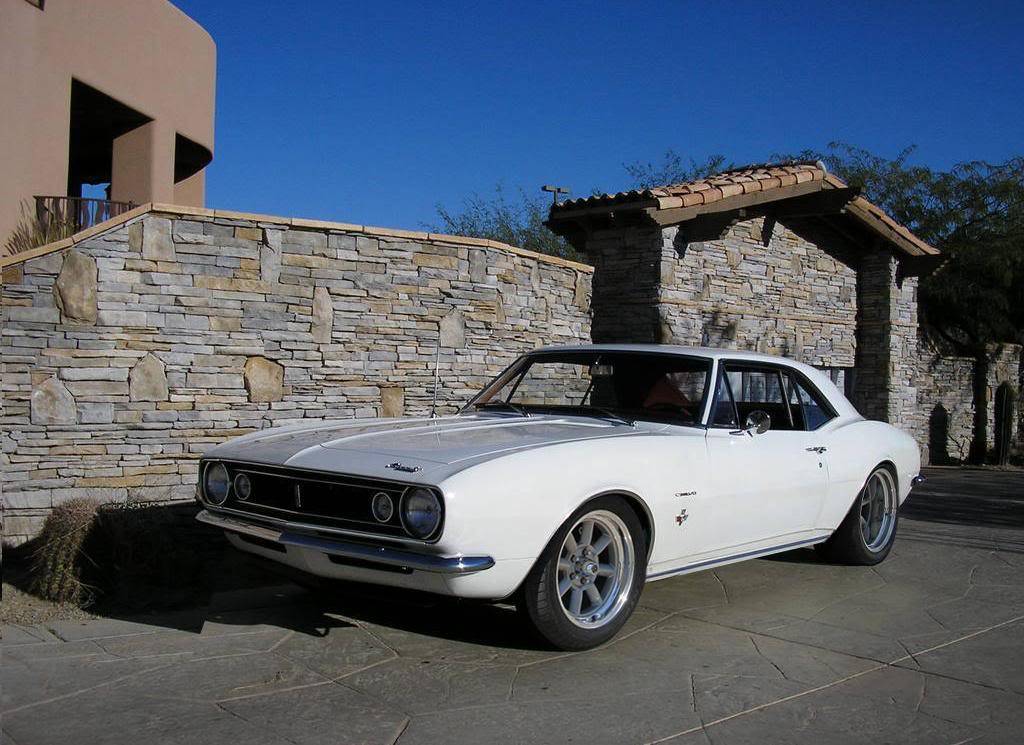
had ps open so I took a couple mins and gave it a shot
09-06-2008 #9
Registered User
- Join Date
- Jun 2007
- Location
- ST PETERSBURG,Florida
- Posts
- 144
Really easy just some white copy some of the background scenery onto the white(see the tree and wall) then just lower the opacity 50-70% whichever fits and voila windows with reflections. Originally Posted by Z06killinSBF
The same principal went into doing this ooooold chop i did
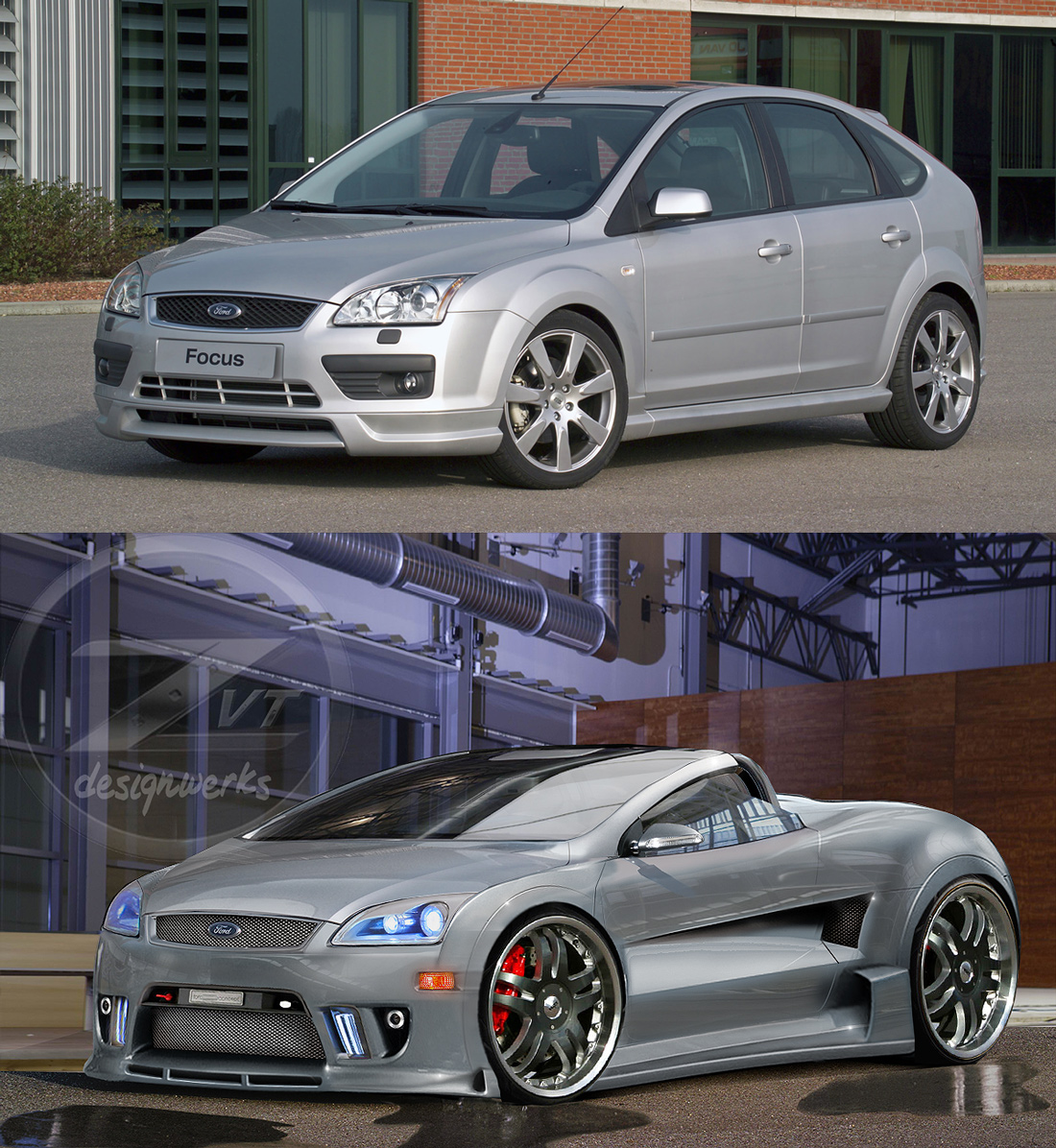
09-06-2008 #10
New to Pro-Touring
- Join Date
- Feb 2008
- Location
- Mooresville, NC
- Posts
- 71
Originally Posted by ZVT

09-08-2008 #11
Registered User
- Join Date
- Aug 2006
- Location
- San Francisco, CA
- Posts
- 808
Holy crap you guys... I think I'll retire from photoshopping now
09-08-2008 #12
Registered User
- Join Date
- Dec 2004
- Location
- Sarasota, Fl
- Posts
- 1,717
No freaking way! It's a very useful skill to have and will serve you well over time, even if you only do it for yourself. I originally started doing photochops in 2001 using some super basic photo editing software that came with our scanner from '98. I did it just to see what wheels might look good on my car. I was horrible at it, but it was adequate enough to ensure I didn't buy tons of ugly rims that I actually considered. Then I started doing 'chopping for fun and trying new things and it eventually became a hobby and I would do stuff for kicks for folks on forums since most folks couldn't afford decent renderings. Originally Posted by sik68
Then a couple years ago I noticed some "pros" getting pissy about photochoppers and getting critical, spouting negativity, and being dismissive, so I cut back (because it was making the hobby less fun) . But it really has been useful to be able to try body mods, or wheels, etc. without spending a bunch of time, effort, and money on something that wouldn't work. It's much better to spend 30 minutes on something and get a good sense of the results (like the simple wheel chop you did) without spending a dime.
09-08-2008 #13
Registered User
- Join Date
- Jul 2008
- Location
- Davis, CA
- Posts
- 57
....well, Illustrator and Photoshop, that is.- Brian
1971 Dodge Demon - 5.9L Magnum V8/904
Modifications: Magnumforce uppers, Wilwood discs, Autometer/Redline Gaugeworks dash
09-08-2008 #14
Registered User
- Join Date
- Oct 2007
- Location
- Wa
- Posts
- 567
Awesome render(?) you got there Sharpie, I can do outlines and all that but once it comes to coloring I fail miserably lol. One of these days I'll learn how to brush like that. Oh and sik68 keep up with it man you got off to a good start.
09-09-2008 #15 Starting The Transformation
- Join Date
- Apr 2008
- Posts
- 310
I downloaded gimp after looking at this thread.... I can't stop playing with it!!!!! That is the greatest thing!
Kody Willis
1969 mustang fast back (fatty patty)
special thanks to the great people who are willing to work with Kode-Red-Racing on this awsome project
air ride technologies - http://ridetech.com/
DVdesigns - www.coroflot.com/dvdesign1
Second skin automotive insulation - http://www.secondskinaudio.com/
IDIDIT INC. - http://www.ididitinc.com/index.html
and hopefully many more to come!
Check out all the progress at http://www.freewebs.com/mach1stang/
09-10-2008 #16 Registered User
- Join Date
- Oct 2007
- Location
- Buena Park, CA
- Posts
- 197
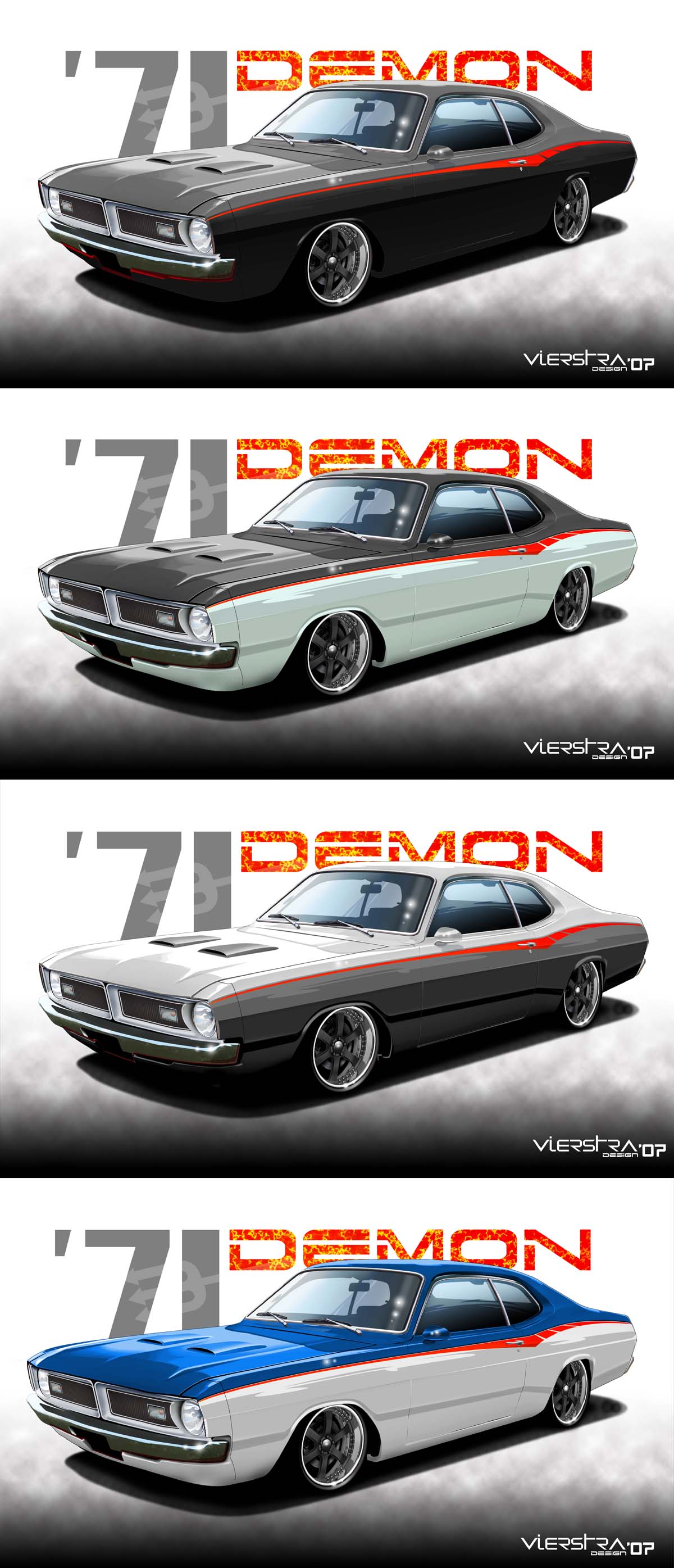
Originally Posted by sharpie
Great work!
Looks familiar...
I did this for Rob (a client from Oregon) and looks like Zee has had to make more changes to it.

DVDesign - Portfolio work
Website: vierstradesign.com
___________________________
Don Vierstra Automotive Design & Illustration
DV Email
09-10-2008 #17
Registered User
- Join Date
- Jun 2007
- Location
- ST PETERSBURG,Florida
- Posts
- 144
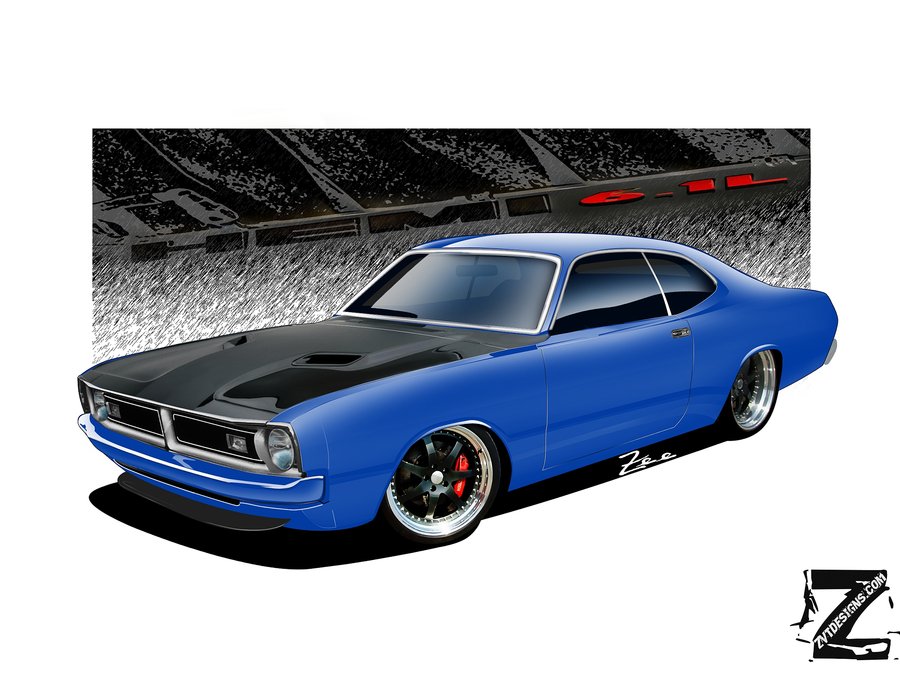
I helped Brian out a little bit as well just for reflections etc... good job we just have to get the windows with some reflections a little more highlights on the body adjust the rear wheel so tis not so flat and we are good.
Here's my go at ROB's demon 1 of probably 15 different combo's
09-10-2008 #18
Registered User
- Join Date
- Oct 2007
- Location
- Wa
- Posts
- 567
what gradient do you use for the glass?
09-10-2008 #19
Registered User
- Join Date
- Jun 2007
- Location
- ST PETERSBURG,Florida
- Posts
- 144
I actually hate using gradients it never gives you the right amount.I use my pen tool and wacom for the windows on 3 different layers it gives me more control takes longer though... Originally Posted by Memphis

09-11-2008 #20
Registered User
- Join Date
- Oct 2007
- Location
- Buena Park, CA
- Posts
- 197
Yes Zee, layers is the key. Pen tool, airbrush and then opacity adjusting somewhere between 60 and 90% utilizing layers. Knowing where your light source is coming from too.
DVDesign - Portfolio work
Website: vierstradesign.com
___________________________
Don Vierstra Automotive Design & Illustration
DV Email

 Reply With Quote


